QUEUE Cloud 4.3
Highlights
This release focuses on expanding integration capabilities and refining the user experience. With new support for SOGO POS systems and more flexible self-ordering layouts, managing your business has never been easier.
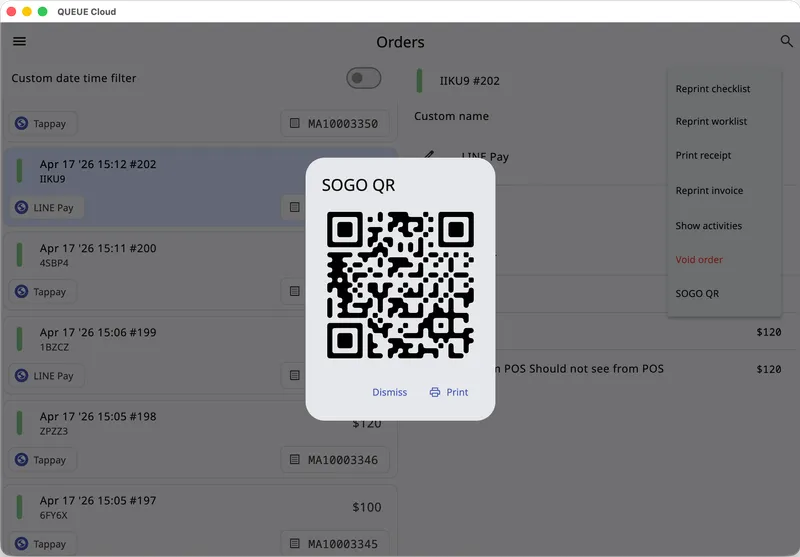
SOGO QR Code Integration
For businesses using separate POS systems alongside QUEUE Cloud, we’ve introduced a new way to sync your workflow. You can now print or display a dedicated SOGO QR code, allowing you to automatically transfer order details to your SOGO POS system for faster, error-free checkouts.
Enhanced Self-Ordering Status Indicators
We’ve added visual cues to help your team prioritize tasks at a glance. It’s now possible to differentiate between Paid and Unpaid Self-orders through color-coded status indicators:
- Unpaid orders will now display a prominent orange indicator.
- Paid orders will remain yellow, ensuring your staff can quickly identify which orders require payment before preparation or pickup.
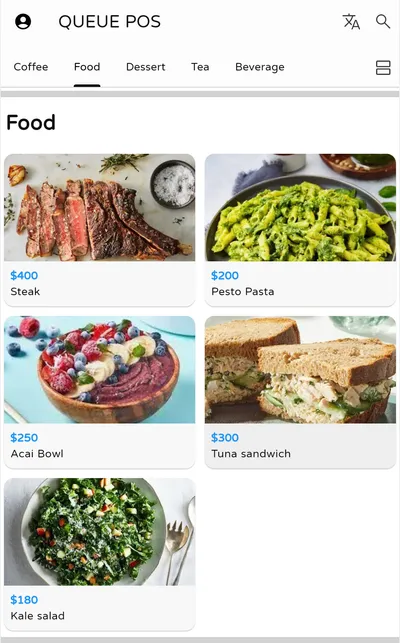
Self-Ordering Grid View
Give your customers more control over how they browse your menu. Users can now toggle between a sleek Grid View and a classic List View, allowing them to choose the layout that best fits their device and preference.
Other Improvements & Fixes
- Printer Setup: Improved warning messages when no Default Printer is configured, helping you troubleshoot connection issues faster.
- Performance: Optimized printing speeds across all supported printer models for a snappier response time.
- Order Validation: Added a clear warning when attempting to process an order with invalid variant quantities, preventing calculation errors.
- Payments: Enhanced search functionality for External Card Payment machines, making it easier to connect and manage your hardware.
- Store Info: Self-ordering users can now see additional store-specific information directly within the interface for a more informative experience.
- Stability: Various under-the-hood optimizations to improve overall system reliability.